

Evidence maps & reports
Your evidence, and how it all fits together
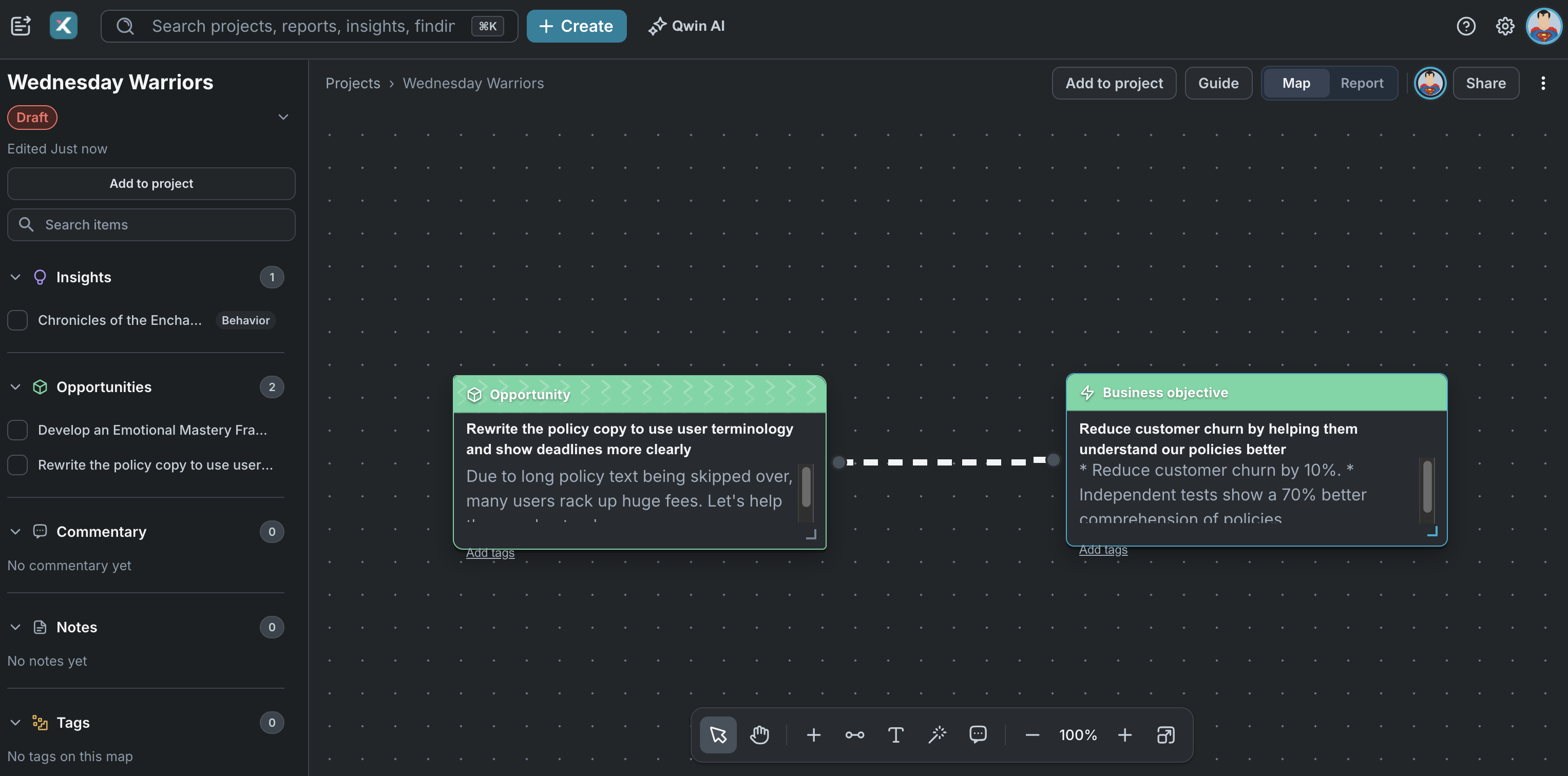
Every project gets its own evidence map: one shared canvas for sources, questions, findings, insights, opportunities and business objectives. Connect anything to anything, and the map takes shape as you work.


Stop losing context between tools
Transcripts, findings and quotes stay together, so nothing gets lost in the handoff.

Walk into every readout prepared
Know which questions your evidence answers, and which ones you're about to be asked anyway.

Claims that hold up under questions
Every claim in a report links back to the moment someone said it.
The problem
Disconnected tools slow down research and weaken rigor

Interviews in one tool. Notes in another. Synthesis on a whiteboard. Insights buried in slide decks no one revisits.

Teams lose hours moving data between platforms, transcribing sessions, and organizing files. When stakeholders ask, "Where did this insight come from?" There's no clear answer.

The evidence existed. The chain didn't.
Pull findings straight from the source
Xperius brings your analysis workflow into one place — from raw sessions to final insights — with every connection preserved and traceable.
Pull findings straight from the source
Bring in recordings, documents, images, and transcribe them in place. Tag a finding off the transcript and the quote comes with it.

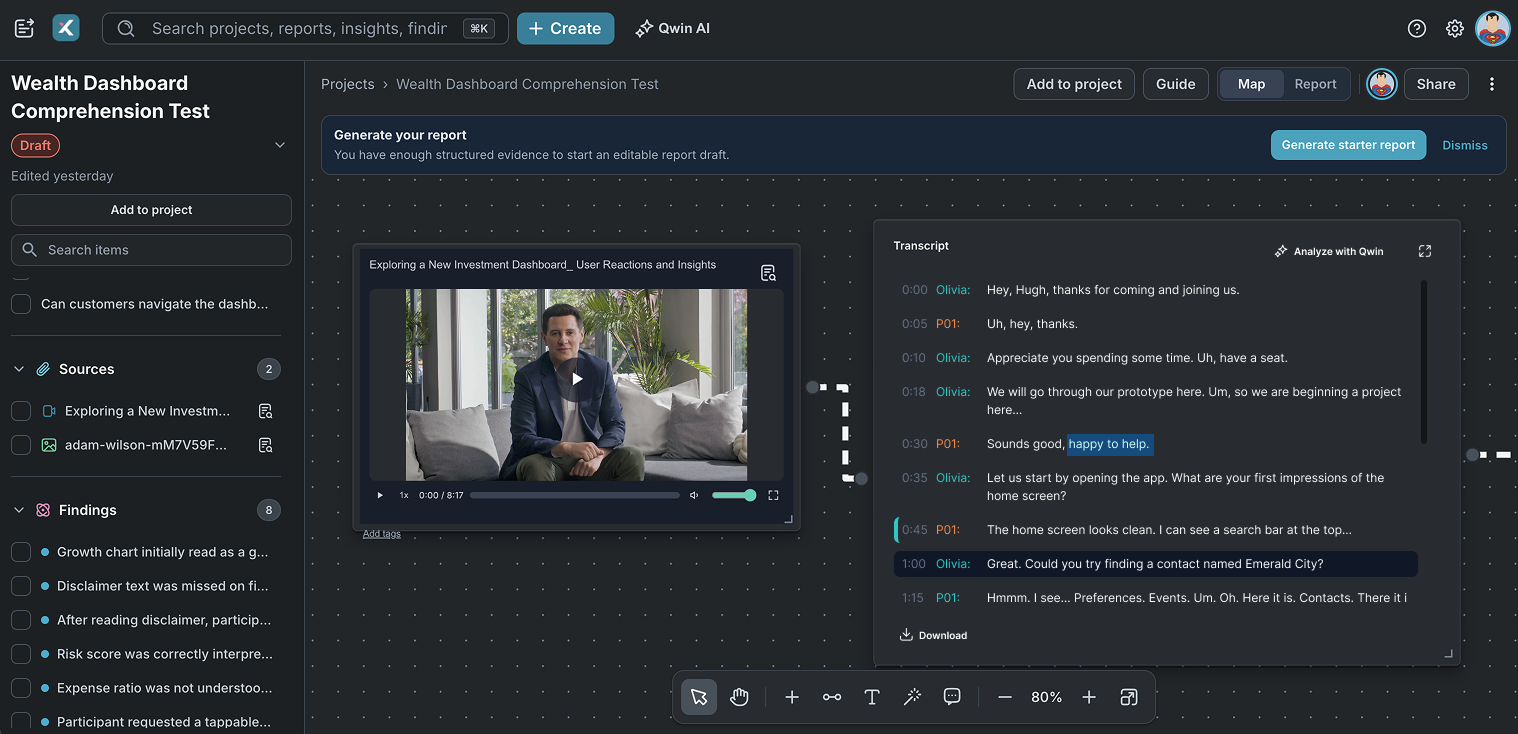
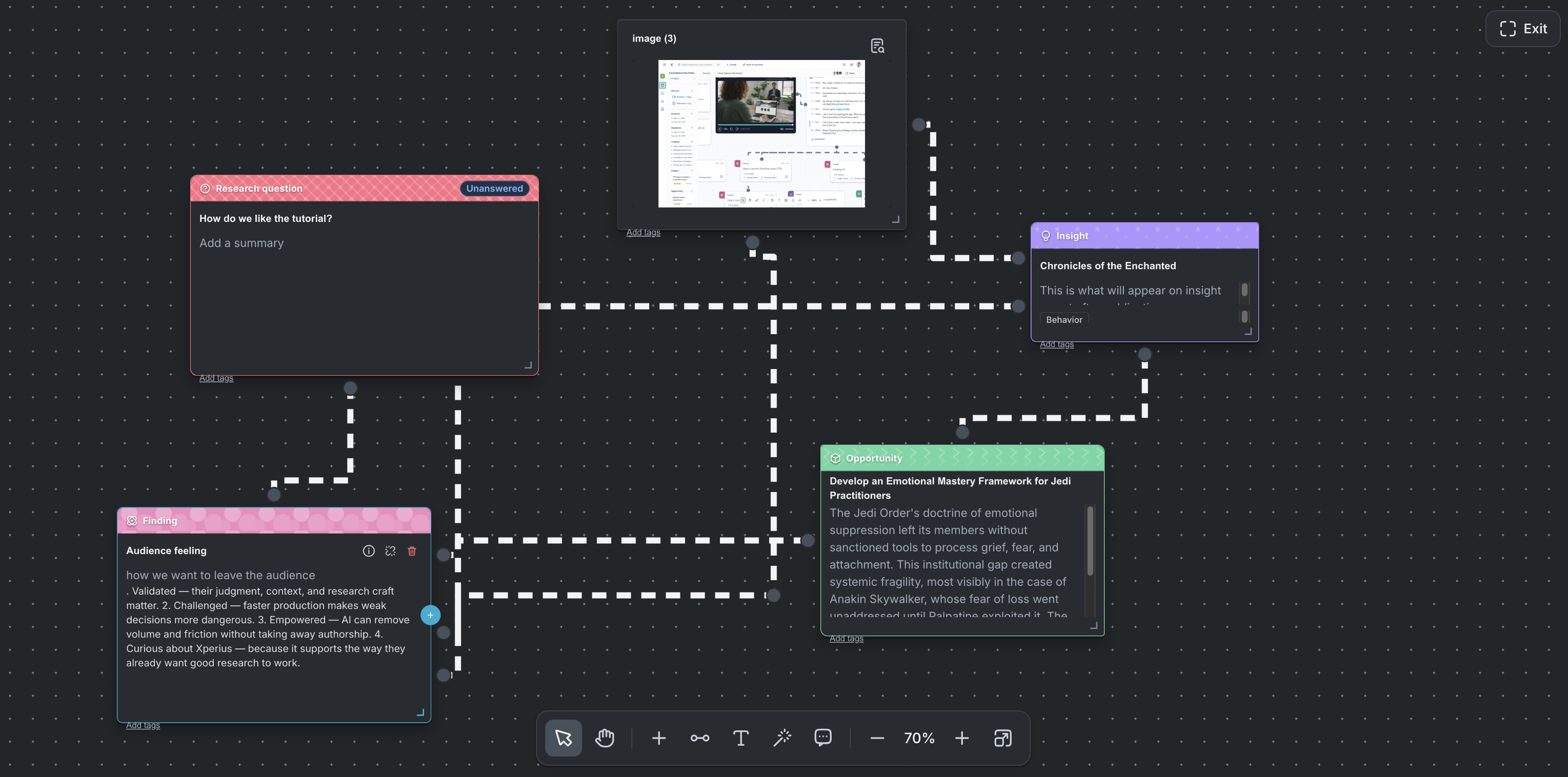
Connect anything to anything
Most research tools force a hierarchy: study, session, finding. Here you draw the line wherever the evidence actually connects.
See what's still open
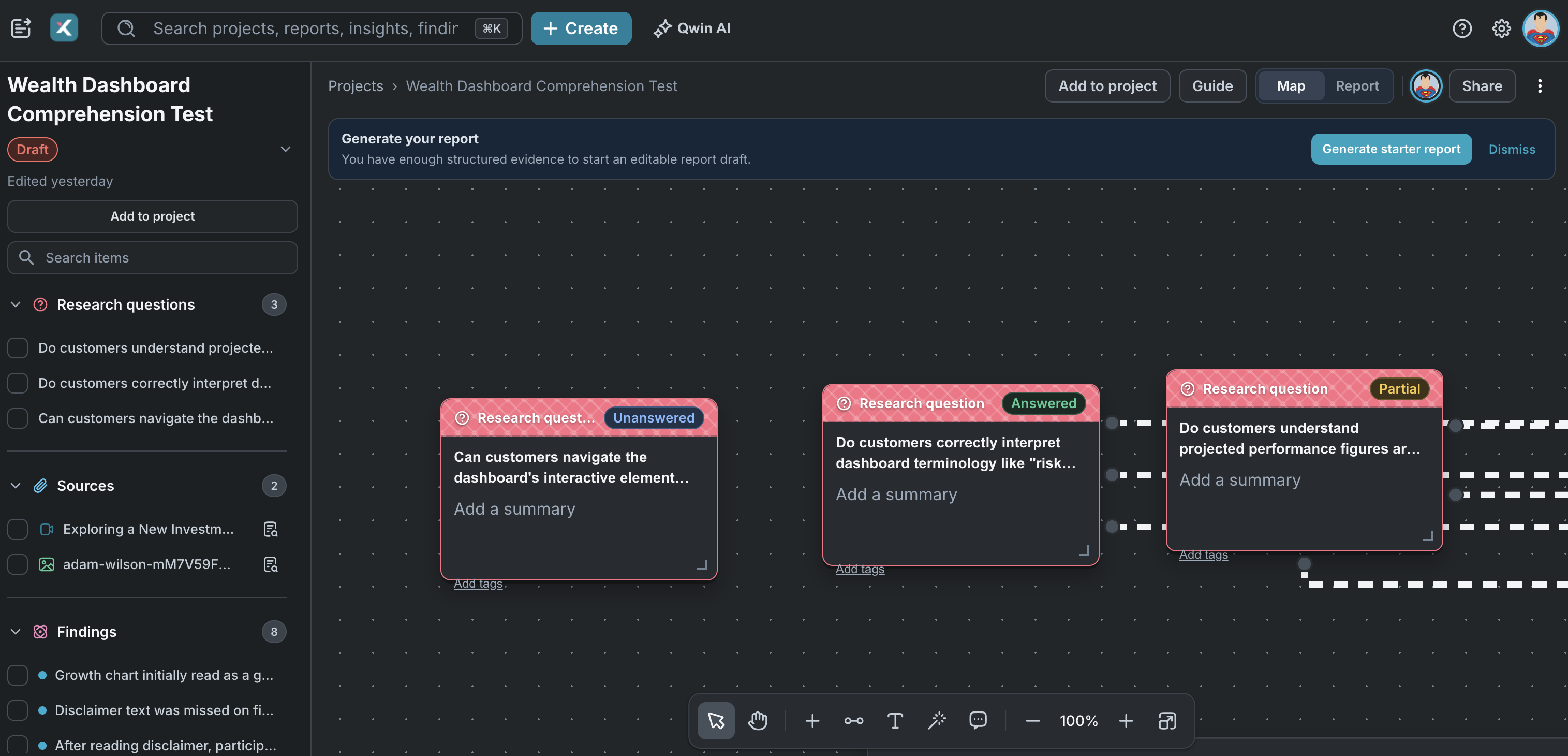
Every question carries a status: unanswered, partially answered, or answered. You can spot the gaps before your stakeholders do.
Build the report from the map
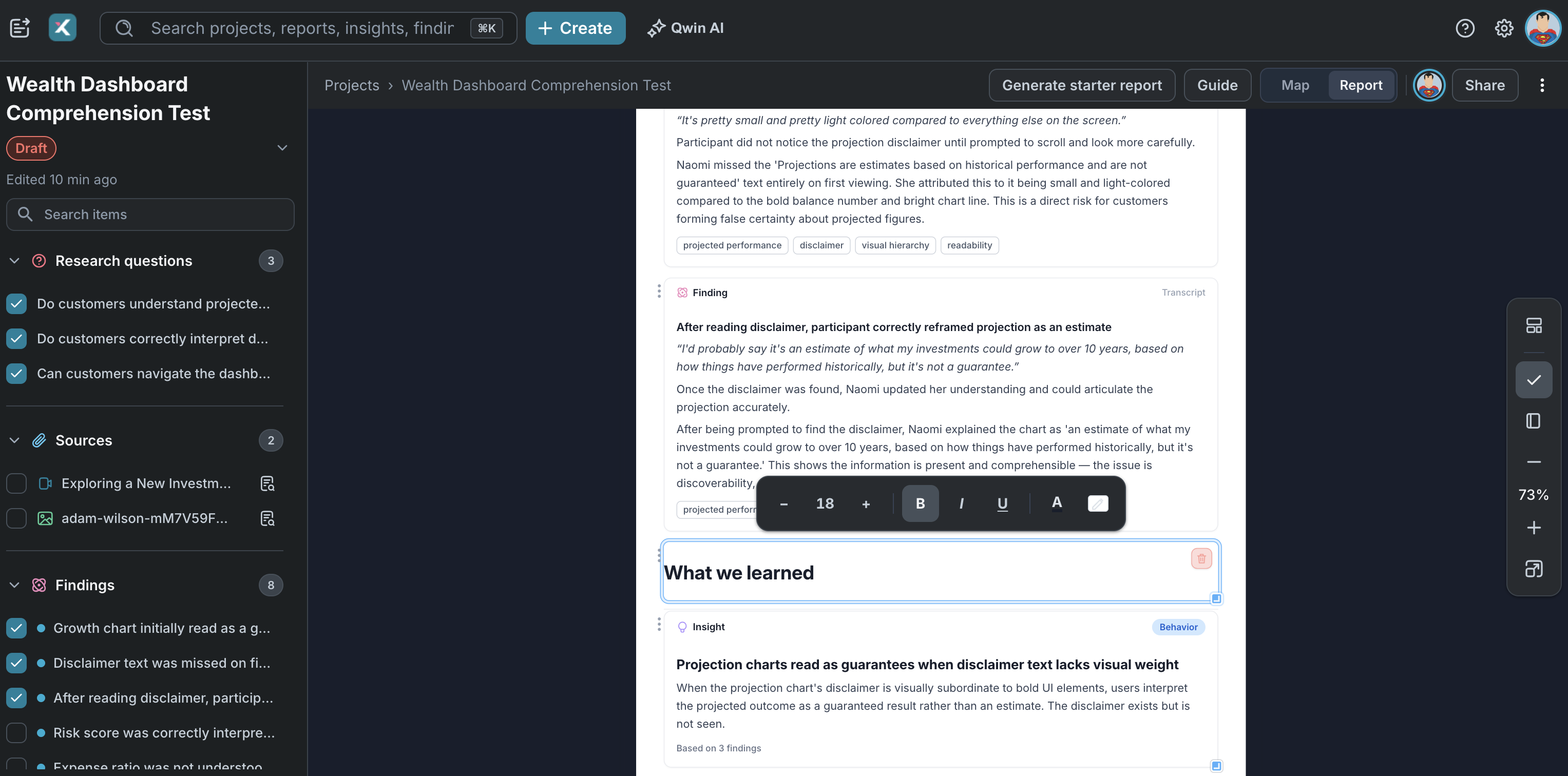
Switch to Report mode and your findings, insights and questions drop in as live blocks, each still linked to its source. Ask Qwin for a starting draft grounded in the evidence you've gathered.
Tie evidence to business objectives
Business objectives sit on the map alongside everything else. Open one to see every finding, insight, and opportunity connected to it, and pull them into a report.
Xperius vs. everything else
Capability

Research repos
Roadmap tools
Transcribe and pull findings from sources


Connect any evidence on one map
Track which questions your evidence answers
Limited
Trace every report claim to its source
Limited
Make your next decision defensible
See how Xperius streamlines analysis using your research data.

